






















Papa's Freezeria To Go!
Screen Shots
◀
▶


Country
US
Release Date
2014-02-26 00:00:00
Price
$0.99
File Size
Varies with device
Why Play This Game
Papa's Freezeria To Go! brings the beloved ice cream parlor simulation to mobile devices with a fresh, intuitive interface designed for touchscreens. Players step into the role of a parlor worker on Calypso Island, creating elaborate sundaes for a fun and quirky cast of customers. The game combines fast-paced time management, creativity, and strategic upgrades, offering endless entertainment for casual and dedicated players alike.Key Highlights
Mobile-Optimized Gameplay
The "To Go" edition reimagines the original with touchscreen-friendly controls, allowing players to pour, mix, and top sundaes with precision. Multitasking across stations feels natural and satisfying on any mobile device.
Creative Customization
Unlock dozens of syrups, toppings, and candies as you progress. Success relies not only on speed but also on mastering blending, layering, and presentation to earn the highest tips possible.
Engaging Progression System
Complete daily orders, earn tips, and upgrade your shop. From new decorations to strategic boosters, every enhancement improves efficiency and adds depth to gameplay.
Challenging Customers
Every day concludes with a visit from a "Closer"—a demanding customer who tests your skills to the max. Learning their preferences is key to maximizing scores and tips.
Overall Impression
Papa's Freezeria To Go! delivers a perfect mix of fun, strategy, and replayability. Fans of time-management games, casual simulations, or creative culinary challenges will find themselves coming back for more.
Getting Started
Step 1: Choose Your CharacterSelect your worker—play as Alberto, Penny, or a custom character to start your summer job at the island ice cream parlor.
Step 2: Take the Order
Tap customers at the Order Station to get their tickets. These tickets track exactly what each customer wants throughout the making process.
Step 3: Use the Order Station
Pour the correct ice cream flavor and cup size. Accuracy at this stage affects your overall score and tips.
Step 4: Mix the Sundae
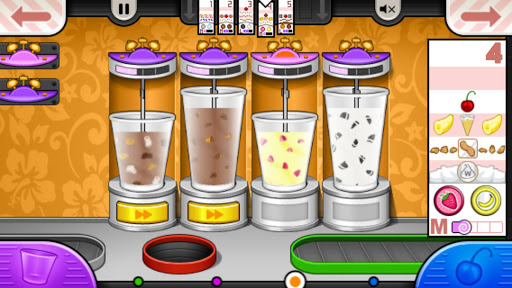
Move the cup to the Mix Station. Attach the blender and watch the meter carefully. Stop when it reaches the green zone for a perfect mix.
Step 5: Build the Sundae
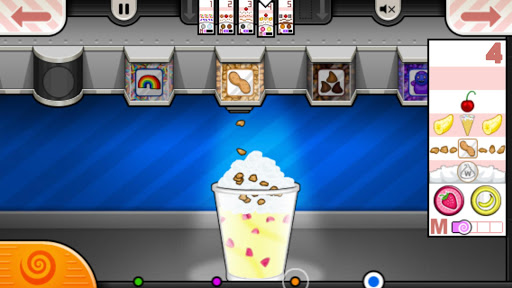
At the Build Station, select syrups, candies, and toppings from the carousel. Tap and slide to distribute ingredients evenly for a visually appealing sundae.
Step 6: Serve and Collect Tips
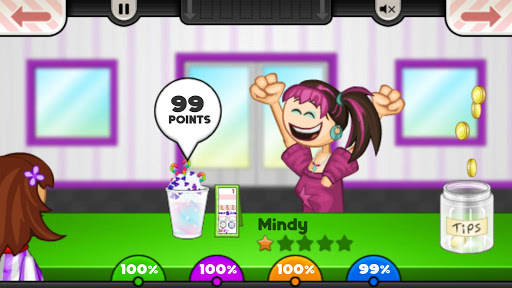
Drag the finished sundae to the green tray. Customer ratings determine your tips, which are essential for progressing and unlocking upgrades.
Step 7: Upgrade Your Shop
Use earned tips to buy boosters, decorations, and equipment that improve efficiency. As the game gets faster and more complex, these upgrades become crucial for success.
Hot App